Edit Tags
If you assigned a tag and you have new information, it can be supplemented or modified in the Administration area.
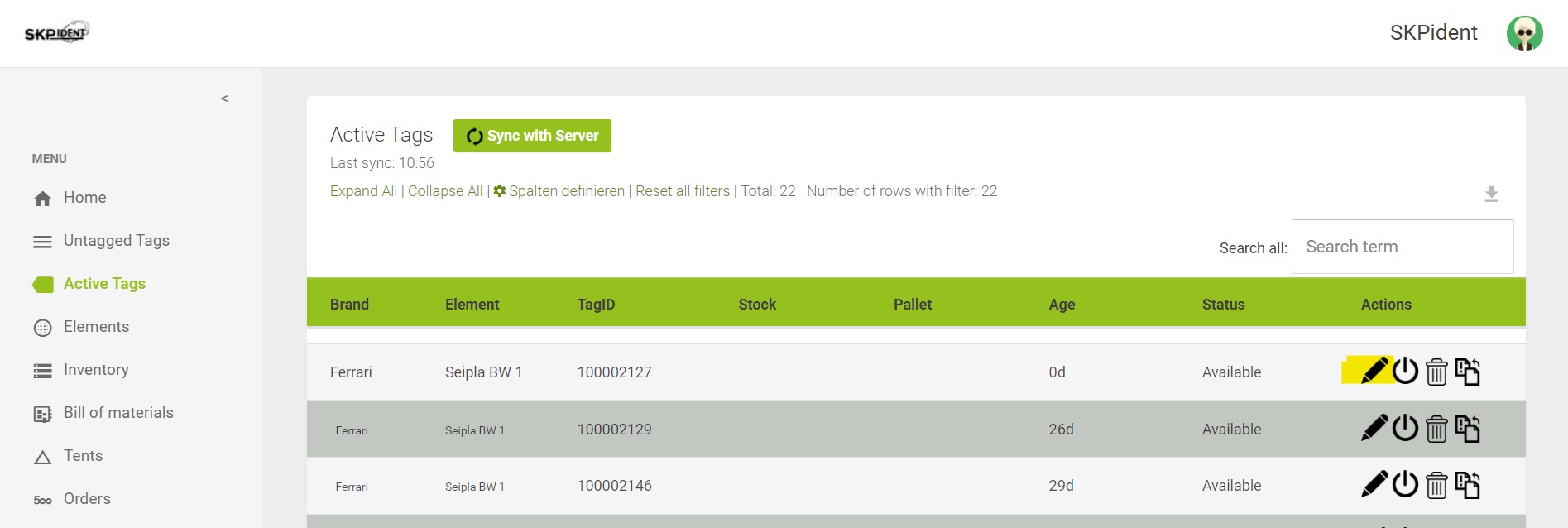
- Open the administration area in your browser.
- Then click [active tags] in the navigation bar. A list of all active items opens, i.e. all assignments. In the blue area, you will see an example item with all the information you selected when you set up the browser.
- Now, in the text box in the upper right corner, type the TagID you want to edit. Alternatively, you can search for everything you know about your stock material. (acquisition date, quality, etc.)
- Then click on the pen icon, where you can edit the name, item, quality, inventory, pallet, and age of the item.
- Confirm with [Change].