The Locate function can be called from the detail view or if you scan a single tag.
Pairs can be searched individually.
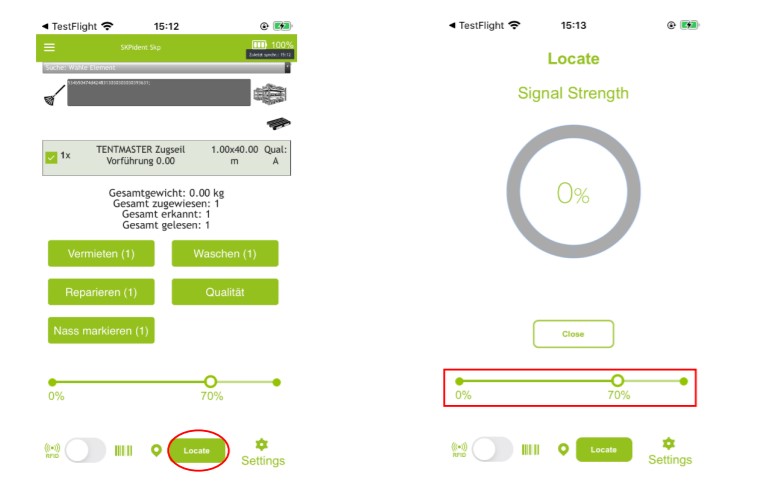
Click on the [Locate] button. The selected tag appears in the scanning area.
You can perform all functions via the normal buttons.
In addition, you are now able to locate the tag and thus the item, by clicking
on [Locate] at the bottom of the app. Marked red in the picture on the left.
• The scanner immediately starts intercepting the signal and show you the
proximity to the element/tag based on the strength of the signal.

 • The scanner immediately starts intercepting the signal and show you the
proximity to the element/tag based on the strength of the signal.
• The scanner immediately starts intercepting the signal and show you the
proximity to the element/tag based on the strength of the signal.