Setup the Browser
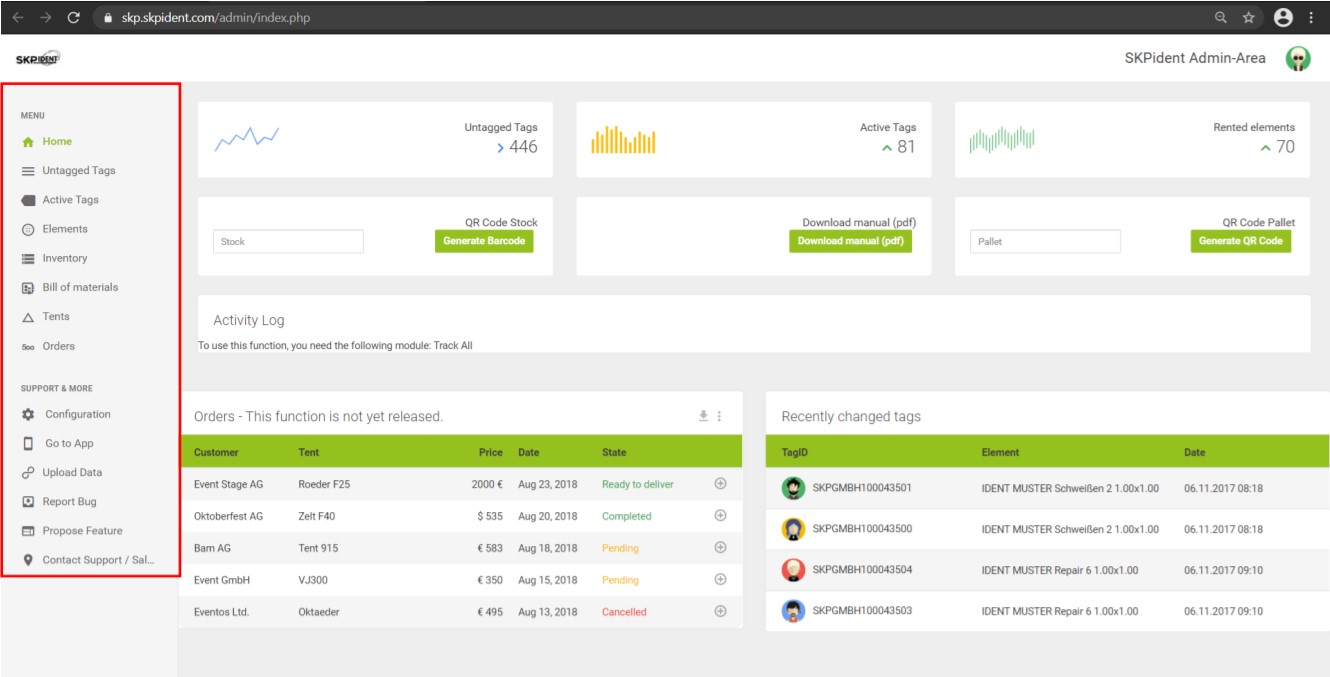
After your login you will redirect to the homescreen which includes the Dashboard with all necessary information.
It is recommended to safe this Website in your bookmarks.
In the left area you have a navigation bar, marked red in the picture. It always remains visible. The navigation points will be listed and described in this manual.
When you press [Configuration] in your navigation bar, you can
- select the standard units (kilograms/meters or pounds/foot),
- select which columns to display in the list of active tags,
- change the date format,
- select the interval for the automatic synchronization and
- configure the individual buttons.