Partner elements
This modul is about handling partner elements. This means you now can manage tarps within two parts. Especially gable, special side covers and all other ones with two parts.
You can handle new ones by creating the special designed partner element or you can simply connect single elements.
The connected tarps get an own overview when you scan them.
Create partner elements
Here you can type in the information for a partner element. Press the Checkbox on top to get the second panel.
Brand, Type, Length and Width are important information you always have to enter.
Brand and Type will be filled automatically on the second panel.
All other information are optional but recommended to enter to have a better identification.

Press [Save] to finish the creation.
Assign partners
With [assign pairs] you can connect two parts of an tarp. Before you can do this you have to define partner elements. (How To)
When you want to connect pairs you can go to [Assign Pairs] in your main menu.
If you are not in the Start menu, you can go there by clicking on Home in the navigation bar (white blanks at the top left corner). Then press [Assign Pairs] to be at the right starting point.
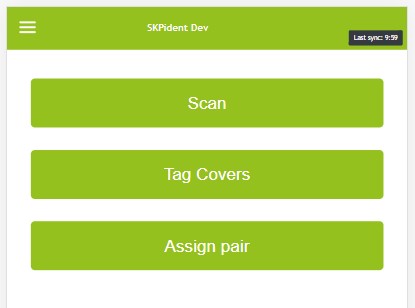
After entering the menu you can proceed like a normal tag cover assignment with the difference that you always have to choose 2 IDs.
The elements you can select are only the partnerelements you defined.
When you press save you will se the following table.
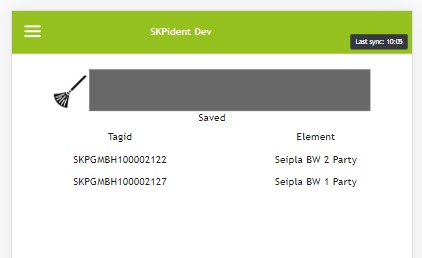
This will stay visible for 5 minutes or when you start a new assignment.
Selection of partner elements.
An uncomplete pair
If you scan only one part of a pair, you will not be able to process it. If you press on this incomplete pair (marked in red), you will get to the detailed view. There are 2 options to complete.
- You can just press [Add] and the pair is complete.
- You can perform a localization to find the missing part. (afterwards you have to scan all necessary stuff again)
An complete pair
An complete pair will be marked green. You can select them with the green check marks.
Processing partner elements
When you want to process partner elements, they will be handled like a single element, if they are complete, with the buttons below. You also can go to details and process every single pair.
Uncomplete partner elements are disabled for the buttons below.