Create a list
Creating a material list is necessary for the further order management.
At first you have to go to the navigation menu in your administration area and press [Bill of materials]. There you see two input fields on the left and a table listed all your lists on the right.
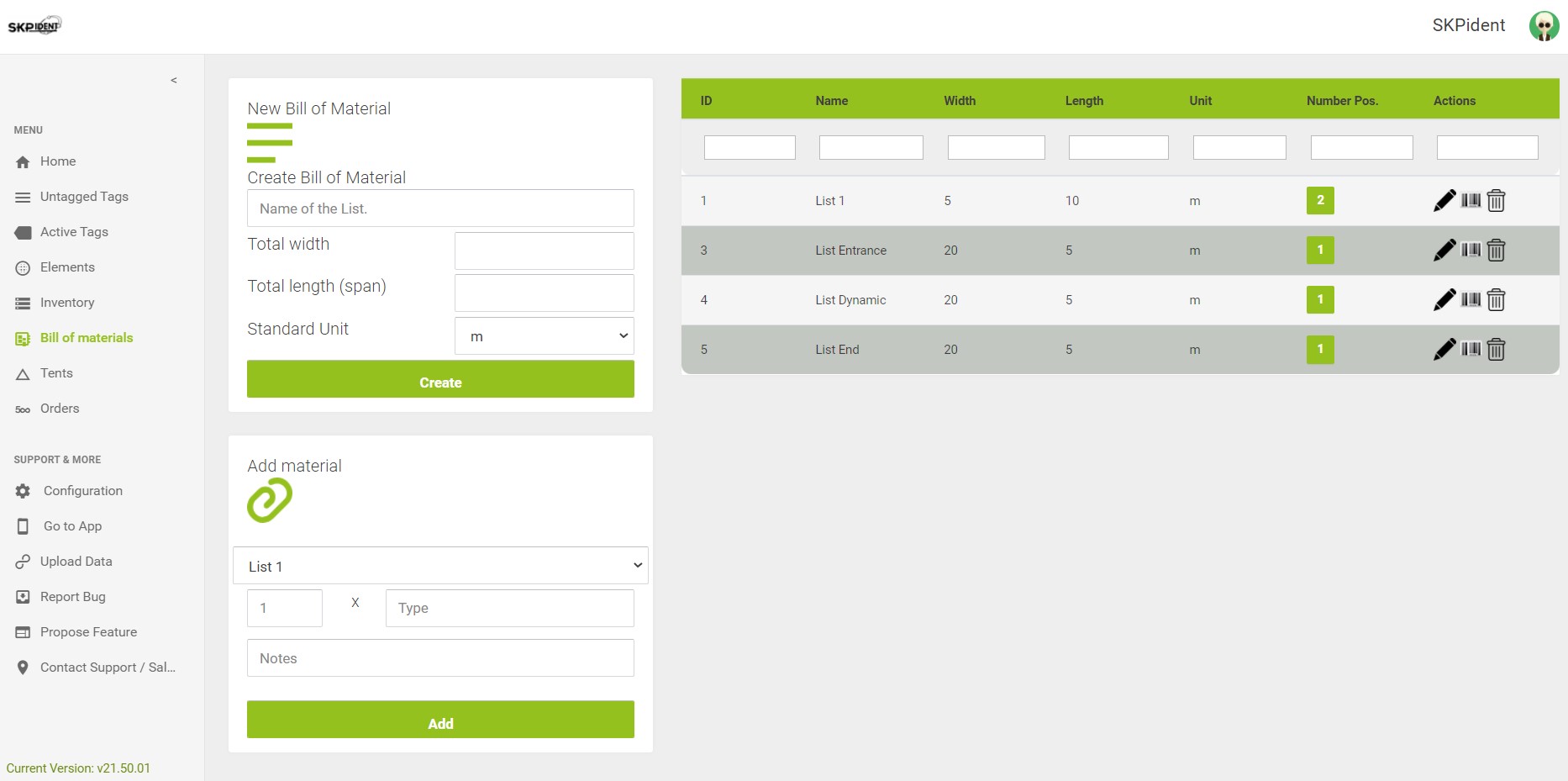
In the upper field you can define and create new material lists. Try to give a unique name with a strong meaning for the material list.
Example: Define a list for an tent modul.
It contains 2 side covers and 1 roof cover. The name could be Tentname middlepart 8 meter. Width is the lenght of your side covers and length is the length of the roof cover. (8 meter)
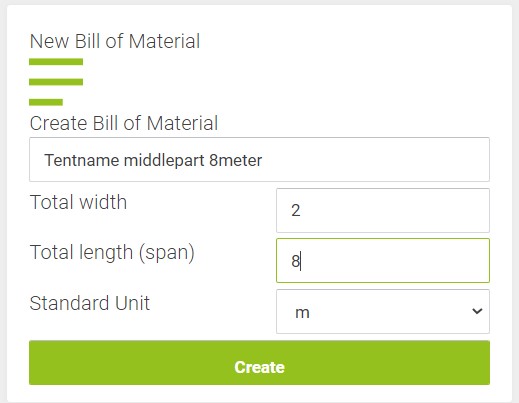
If the list is created your now able to add Material to this list.